
The idea
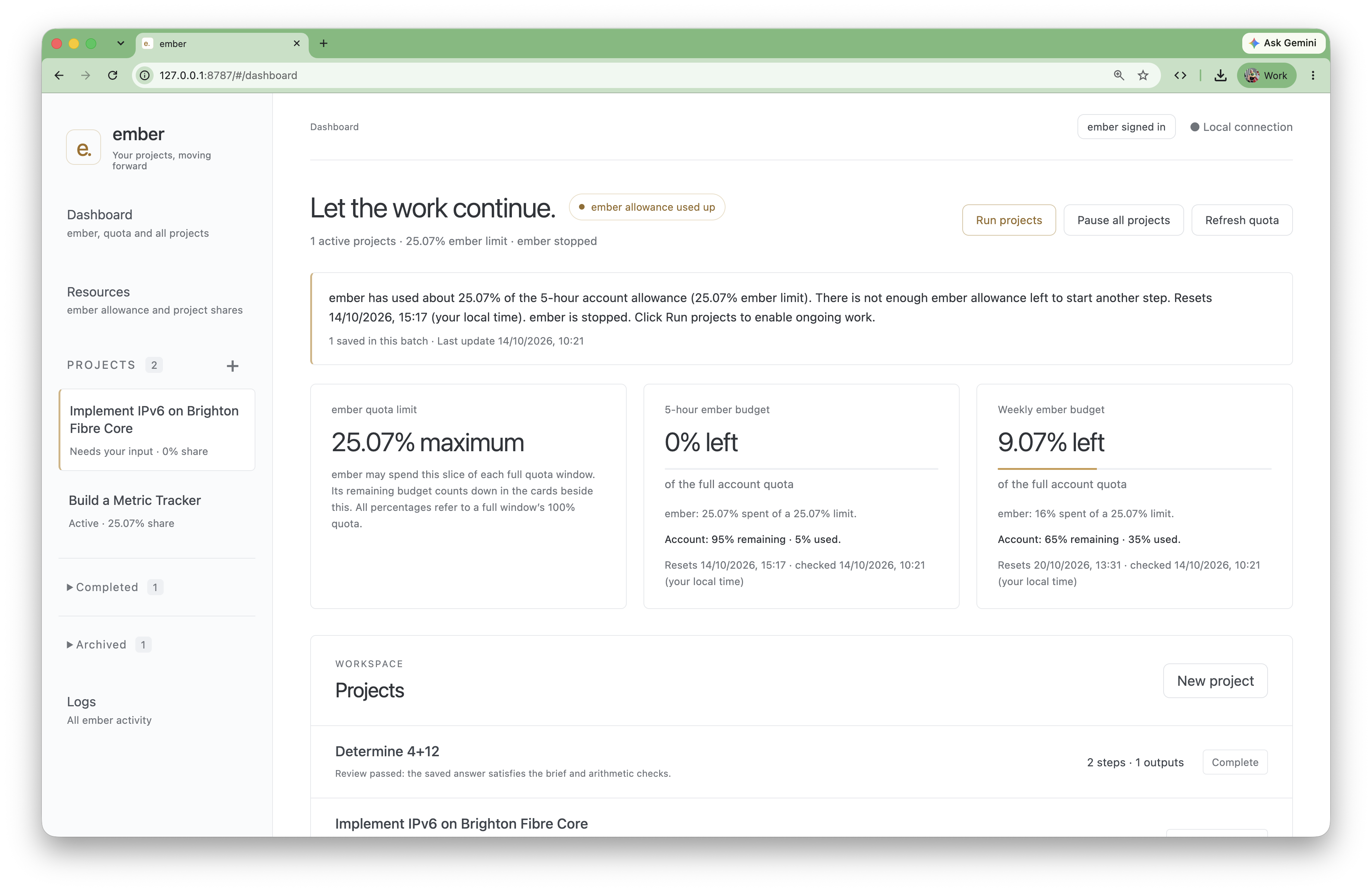
The inspiration is similar to SETI’s use of spare home-computer capacity: take a resource that is available but underused, and give it useful work. With Ember, the resource is AI capacity and the work is a collection of projects with defined goals.
That might mean analysing a difficult problem, investigating a technical question, or progressing a penetration-testing project. The aim is to draw on available AI resources and turn intermittent attention into sustained progress.
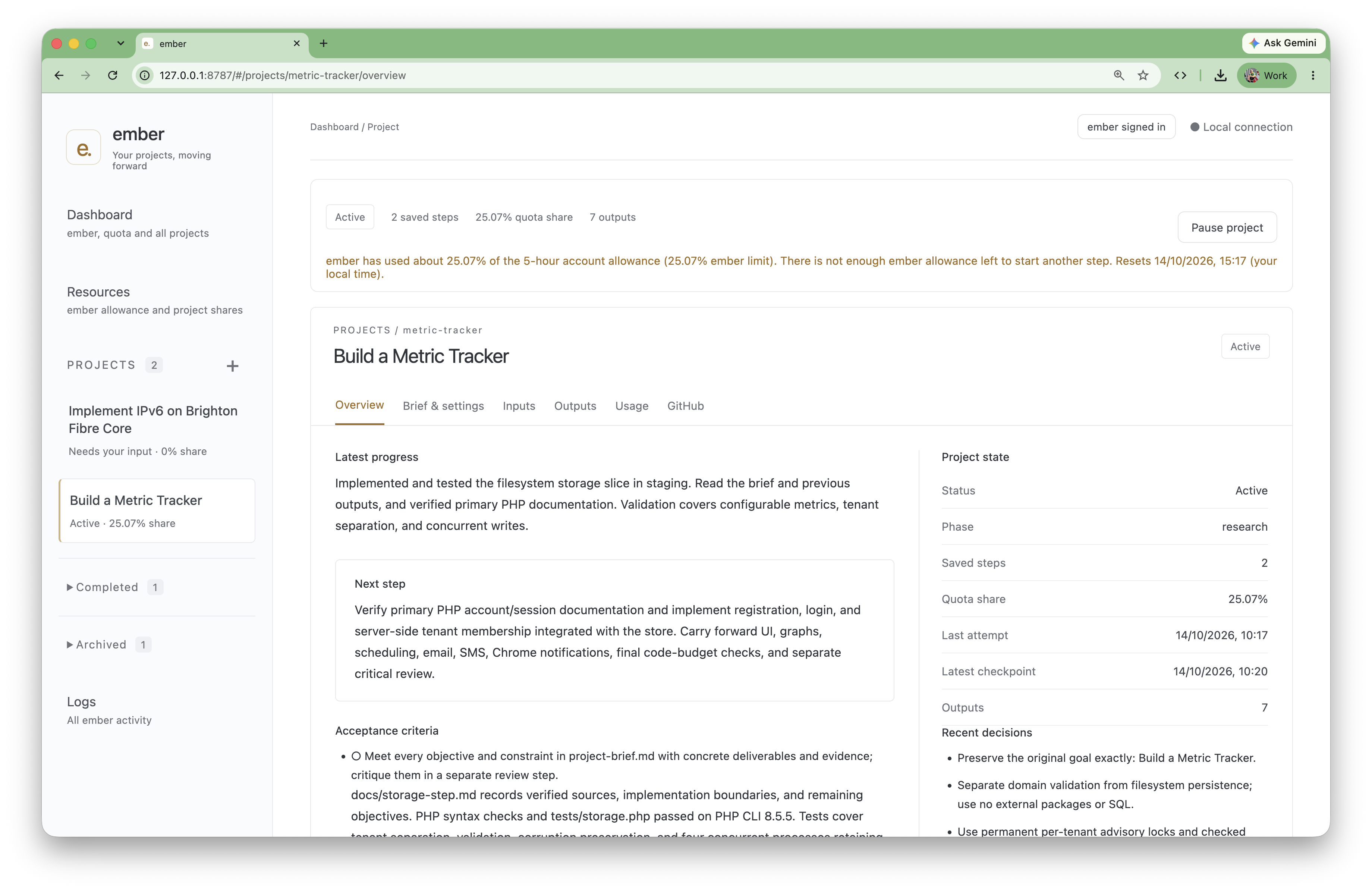
Keeping the work moving
Each project needs more than a fresh conversation. It needs a record of what has been tried, what has been learned, and what to do next. Ember keeps project progress and outputs together so that the next run can continue the work rather than start again.
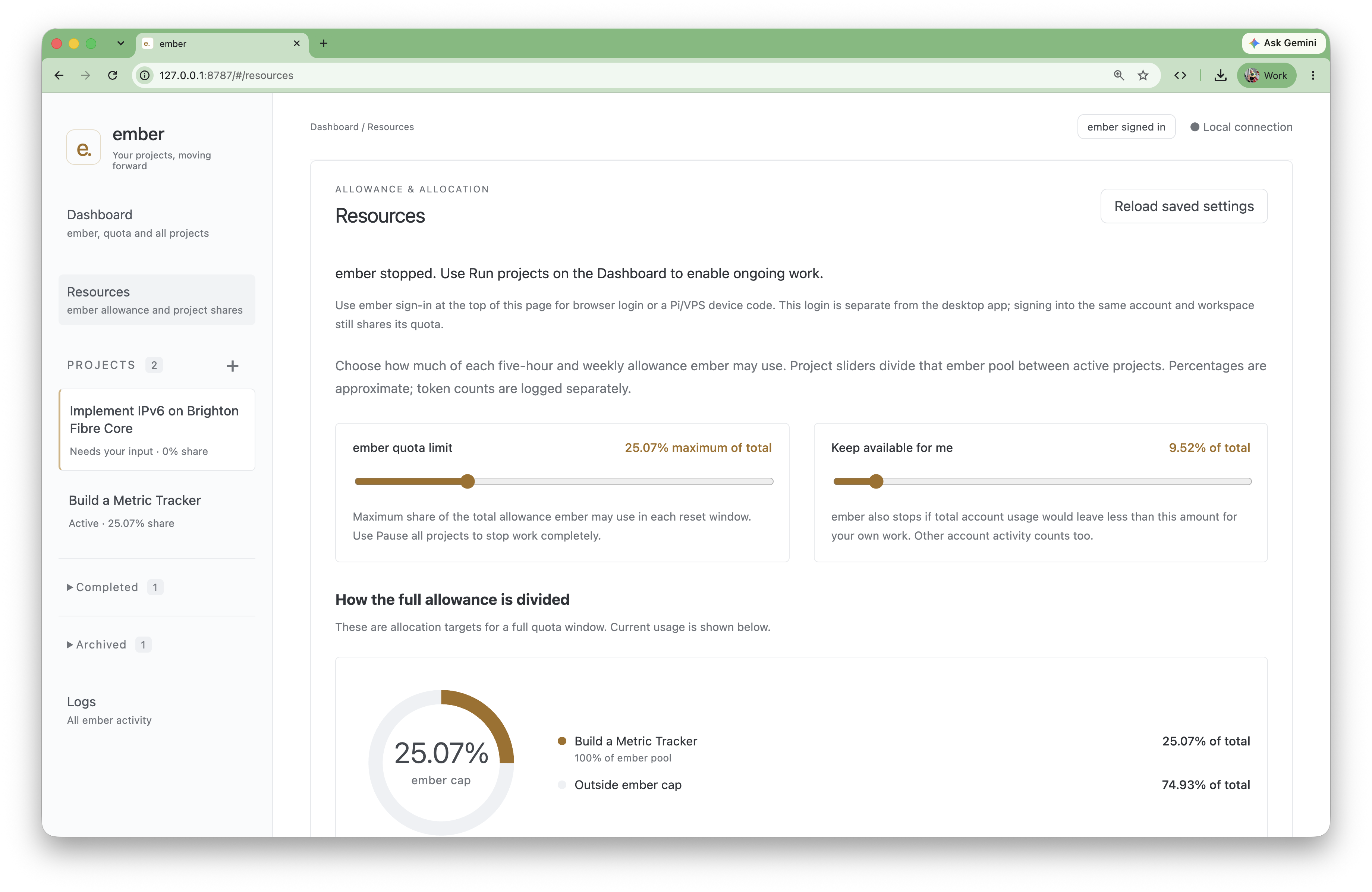
Sharing the capacity
The resource dashboard lets me set how much allowance Ember may use, how to divide that pool between projects, and how much capacity to keep available for my own interactive work. Those allocations are approximate; they provide a way to pace background work rather than a promise of a precise quota.
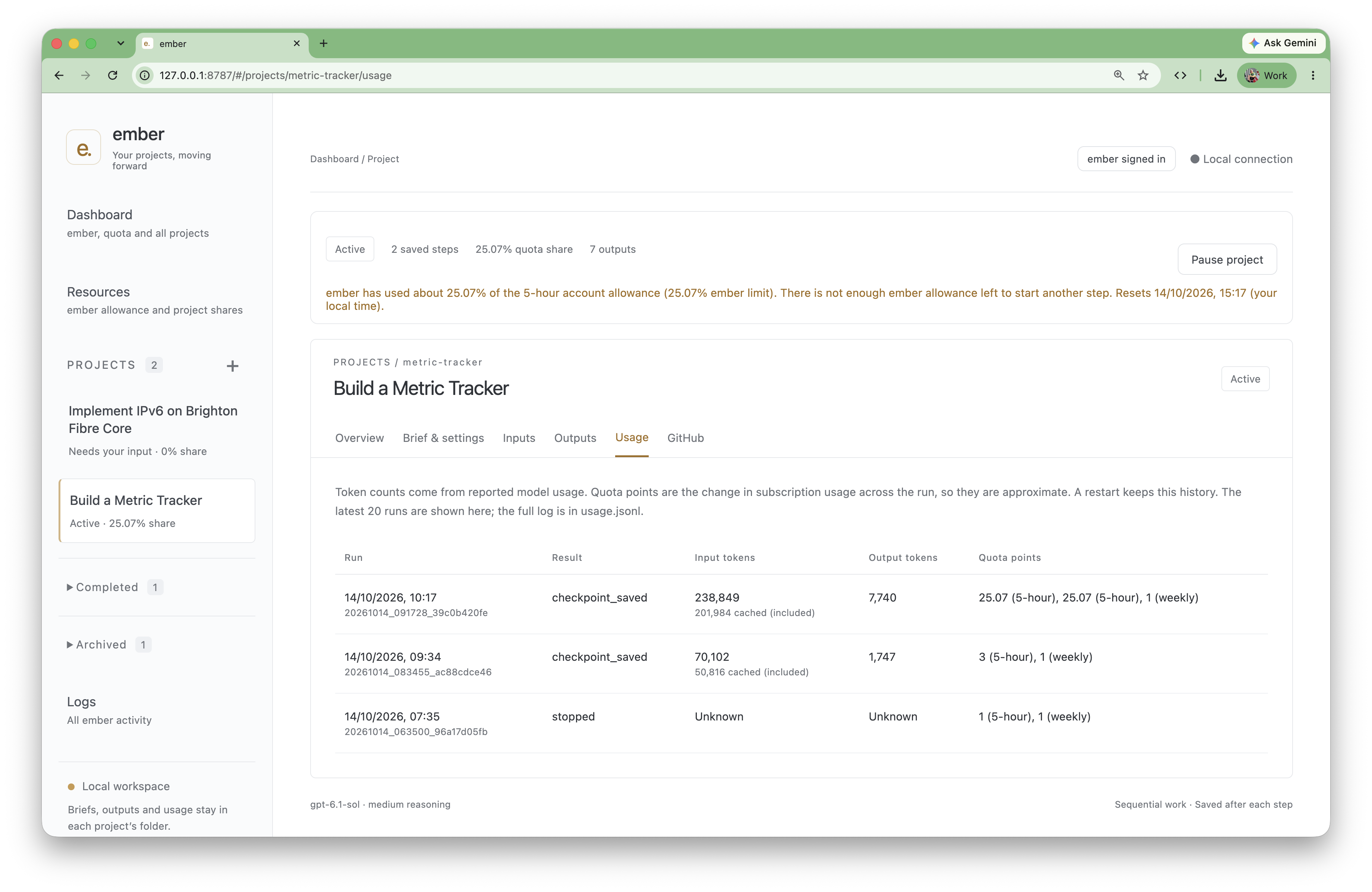
Tracking usage
The usage view records individual runs, their outcomes, and input and output token counts. It keeps those reported counts separate from quota points, which reflect approximate changes in the account’s allowance.
The central idea is simple: keep useful projects moving when I’m working on something else.